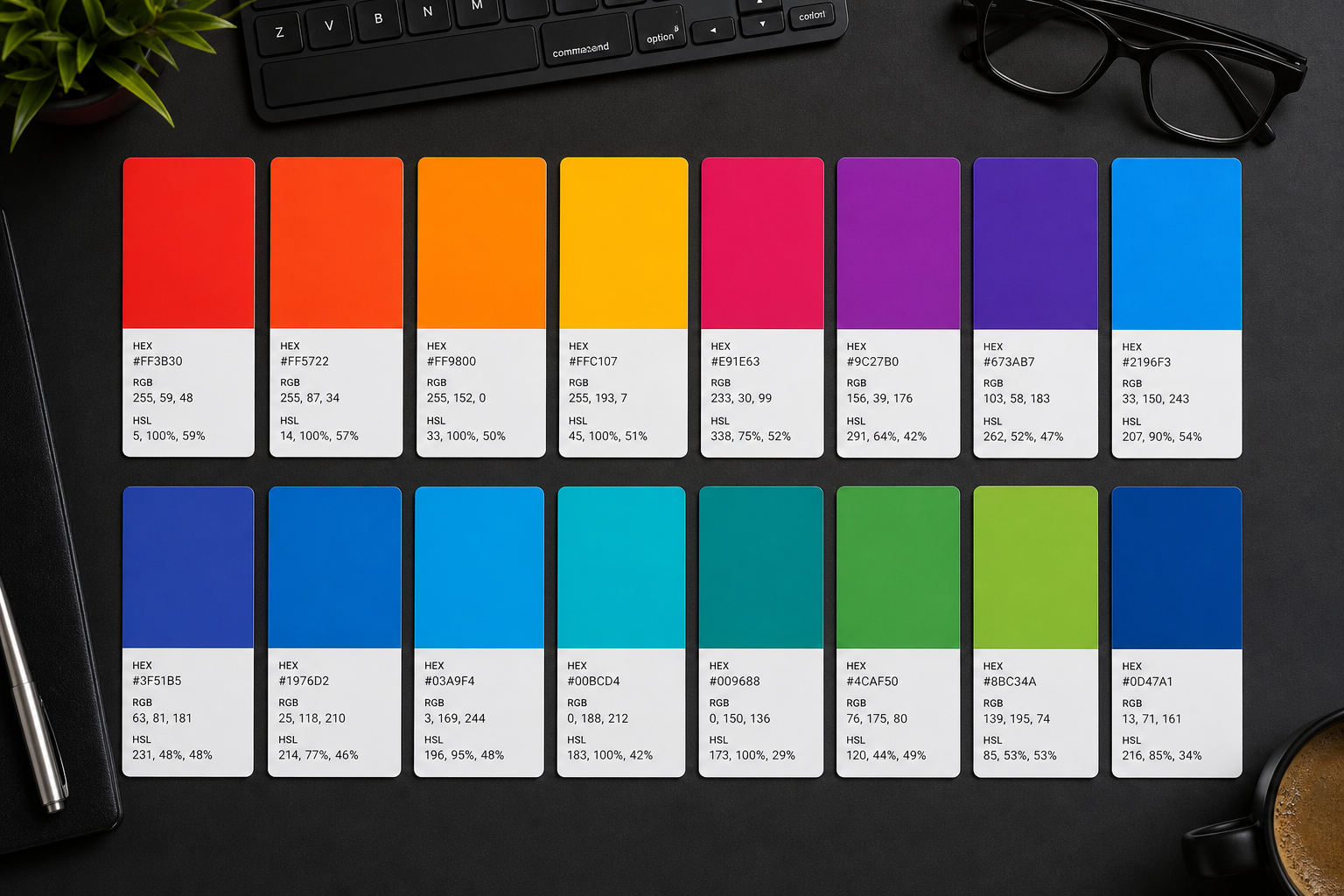
Compare HEX, RGB, HSL, and OKLCH for modern CSS. Learn when to use each color format for design systems, theming, and accessibility.
Why Multiple Color Formats Exist in Web Design
CSS and design tools represent color using several mathematical models, each optimized for different tasks. Hexadecimal notation compactly stores sRGB channels for developers pasting values from design files. RGB and RGBA expose red, green, and blue integers or percentages plus optional alpha transparency. HSL rotates hue on a color wheel with saturation and lightness intuitive to designers adjusting themes. OKLCH, standardized in CSS Color Module Level 4, perceptually uniform coordinates improve gradients and accessible palette generation.
Browsers converging on wide-gamut displays expose colors outside legacy sRGB. Understanding format trade-offs prevents banding in gradients, mismatched brand colors between Figma and production CSS, and failed WCAG contrast checks when lightness adjustments look correct visually but fail mathematically. The Color Converter on ToolsFree.org converts between hex, RGB, HSL, and modern spaces instantly for side-by-side comparison.
Design systems document primary tokens in one canonical format—often hex or OKLCH—and derive others at build time. Ad hoc copying between formats without conversion causes subtle drift across micro-frontends.
Hexadecimal Colors in Practice
Six-digit hex #RRGGBB packs eight-bit red, green, and blue channels into three byte pairs. Shorthand #RGB duplicates each nibble for compact notation when channels repeat, such as #f00 for pure red. Eight-digit #RRGGBBAA adds alpha with FF opaque and 00 fully transparent. Case insensitivity (#FFF equals #fff) simplifies team style guides.
Hex dominates copy-paste workflows because it is compact and regex-friendly in code review. It is not human-intuitive for adjusting brightness—you cannot mentally increment hex to lighten a brand blue reliably. Convert to HSL or OKLCH for programmatic theme variations, then export hex for legacy tooling still expecting six-digit tokens.
Validate hex input before commit: invalid characters or wrong length silently fall back to browser defaults or invalid property discards. The Color Converter catches malformed values during palette QA.
RGB and RGBA Functional Notation
CSS rgb(255, 0, 0) and rgba(255, 0, 0, 0.5) express channels from 0-255 or modernly rgb(100% 0% 0% / 50%) with space-separated syntax and slash alpha. RGB maps directly to monitor subpixels in sRGB space, making it ideal when manipulating channels programmatically—image processing libraries natively speak RGB arrays.
Alpha in rgba controls opacity separate from HSL lightness: a semi-transparent red overlay on white reads as pink, not dark red. Layering effects in UI mockups require rgba or equivalent alpha-capable formats. Hex eight-digit alpha achieves the same but mixes poorly with older IE-era tooling.
When extracting colors from screenshots, eyedropper tools return RGB triplets—convert to hex for design token storage or OKLCH for perceptual adjustments in design system generators.
- rgb(0-255, 0-255, 0-255) — classic comma syntax still widely supported
- rgb(R% G% B%) — percentage channels for relative adjustments
- Alpha via rgba fourth argument or rgb(R G B / A) modern slash syntax
- Direct mapping to canvas ImageData and GPU texture formats
HSL and HSLA for Designer-Friendly Tweaks
hsl(240, 100%, 50%) specifies hue degrees on a color wheel, saturation percent from gray to vivid, and lightness percent from black through color to white. Designers lighten brand colors by increasing L without hunting hex values. hsla adds alpha identical to rgba use cases. HSL fits theme generators: rotate hue for categorical charts, desaturate for disabled states.
HSL is cylindrical, not perceptually uniform: identical lightness steps at different hues appear uneven to human eyes—yellow looks brighter than blue at the same L value. WCAG contrast calculations use relative luminance in sRGB, not HSL lightness directly. Always verify contrast after HSL tweaks with dedicated checkers.
Modern CSS prefers hsl(240 100% 50% / 80%) space-separated form aligned with rgb modernization. Legacy comma syntax remains valid for compatibility.
OKLCH and Perceptually Uniform Color
OKLCH expresses color as Lightness (perceptual), Chroma (colorfulness), and Hue angle in OKLab space derived from CIELAB improvements. Equal L steps appear equally bright to humans. Gradients interpolated in OKLCH avoid muddy gray dead zones common in RGB or HSL blends—critical for hero backgrounds and data visualization.
Browser support reached baseline in Safari 15.4+, Chrome 111+, and Firefox 113+ for oklch() in CSS. Provide hex or rgb fallbacks in @supports blocks for legacy environments. Design tokens in OKLCH future-proof palettes for P3 displays where sRGB hex clips saturated brand colors.
oklch(0.62 0.19 250) might describe a accessible brand blue; adjust L in small increments knowing contrast scales predictably. Tools like the Color Converter bridge OKLCH experimentation with hex exports for stakeholders still reviewing six-digit swatches.
Choosing the Right Format for Each Task
Use hex for design handoff, git diffs, and compact variables. Use RGB when integrating canvas, WebGL, or image libraries. Use HSL for quick theme tuning in CSS custom properties. Use OKLCH for gradients, wide-gamut branding, and systematic accessible palette generation aligned with APCA emerging guidance.
Document conversion paths in your design system README. Figma plugins export hex by default—script conversion to OKLCH tokens at build time rather than manual re-entry. Avoid mixing formats within one component file without comments explaining rationale.
Accessibility reviews should record both foreground and background in one canonical format plus measured contrast ratio. The Color Converter simplifies batch conversions when auditing dozens of button variants.
Wide Gamut, P3, and Display Profiles
Apple Display P3 covers more saturated greens and reds than sRGB. Colors specified only as hex sRGB cannot represent extra-gamut brand inks on modern phones. CSS color(display-p3 1 0 0) and OKLCH with appropriate chroma communicate intent to capable displays while falling back gracefully.
Operating system color management affects screenshot fidelity—QA on real devices, not only sRGB-calibrated external monitors. Export marketing imagery with embedded profiles to avoid washed-out social previews.
When ToolsFree.org users convert colors for web projects, remember hex is a storage format, not a perceptual model. Reach for OKLCH when human judgment of equal steps matters.
Migration Tips for Design Systems
Audit existing tokens: group primary, semantic, and neutral scales. Convert neutrals to OKLCH first—low chroma makes regression testing easy. Compare rendered pages side by side in staging. Automate conversion scripts rather than spreadsheet formulas prone to rounding errors.
Train designers and engineers on reading OKLCH numbers: L roughly 0-1 (or 0%-100%), C vividness, H hue angle. Pair workshops with hands-on Color Converter exercises converting legacy hex palettes.
Find related utilities on All Tools at ToolsFree.org including contrast checking workflows paired with conversion. Unified color literacy across formats reduces back-and-forth in pull requests and speeds accessible product shipping.
Putting This Guide Into Daily Practice
Knowledge only helps when it becomes habit. Bookmark this page and return when you hit the specific problem it describes—search engines surface long-tail queries like the ones covered here because people need answers at the moment of failure, not during leisurely reading. Save worked examples in your team wiki with before-and-after snippets so junior developers inherit fixes instead of rediscovering them.
Pair reading with immediate experimentation. Open the relevant ToolsFree.org tool in an adjacent browser tab, paste real data from a sanitized log, and confirm the output matches expectations. Client-side tools mean you can iterate ten times in a minute without rate limits or account walls. Screenshot successful workflows for internal training decks.
Search rankings reward depth, clarity, and pages that satisfy intent completely. This article targets practical completion: you should leave with a checklist, not vague awareness. When standards evolve—NIST password guidance, WCAG revisions, new CSS color spaces—revisit authoritative sources and update your internal playbooks. ToolsFree.org publishes guides aligned with its free utilities so theory and practice stay connected.
Questions Teams Ask During Code Review
Reviewers should ask whether this change affects external integrations, published APIs, or user-visible output. If yes, link to the relevant test fixture and manual QA steps. Documentation updates belong in the same pull request as behavior changes—not a follow-up ticket that never ships.
Performance matters for client-side utilities: large payloads may slow browser formatters on low-end phones. Chunk huge JSON files in editors or use streaming parsers on the server. ToolsFree.org tools target everyday payload sizes developers paste during debugging, not multi-gigabyte dumps.
Share this guide with support staff who field customer tickets about malformed data. First-line triage improves when non-engineers can validate JSON or URLs before escalating to on-call.
Frequently Asked Questions
Teams often ask whether browser-based tools are safe for confidential data. ToolsFree.org runs utilities client-side without uploading input to servers—a model described in the privacy policy and relevant when handling credentials, tokens, or customer records during debugging.
Another common question is how this topic relates to automated testing. Unit tests catch regressions; manual validation catches one-off vendor payloads and copy-paste errors from spreadsheets. Use both layers rather than treating passing CI as proof that production traffic will always parse.
Finally, people ask which official standard to cite in compliance documents. Link primary sources—IETF RFCs, W3C recommendations, NIST special publications—rather than blog summaries alone. This article summarizes practical steps; your security questionnaire may require direct citations to those authorities.
Advanced Tips for Teams and Solo Developers
Document the failure modes described in this guide inside your runbook so on-call engineers resolve incidents faster. Link directly to the relevant ToolsFree.org utility for one-click validation during bridge calls. When sharing examples in Slack or email, paste sanitized snippets rather than production data containing customer identifiers or secrets.
Version your internal examples when APIs change. A JSON sample from 2024 may mislead new hires if field names shifted during a migration. Date-stamp wiki pages and assign owners to refresh them quarterly. Search engines reward fresh, accurate content—your internal docs should follow the same discipline.
Combine manual validation with automated tests. Browser tools excel at exploratory debugging; CI pipelines excel at regression prevention. Neither replaces the other. After fixing an issue manually, add a fixture so it never returns silently. Mature teams treat every production parser error as a missing test case until proven otherwise.
Mobile developers and field technicians increasingly debug from phones. ToolsFree.org tools are responsive—use them on tablets during site visits when a laptop is unavailable. Client-side processing avoids VPN requirements for simple format checks, though always follow your organization data-handling policy before pasting sensitive content anywhere.
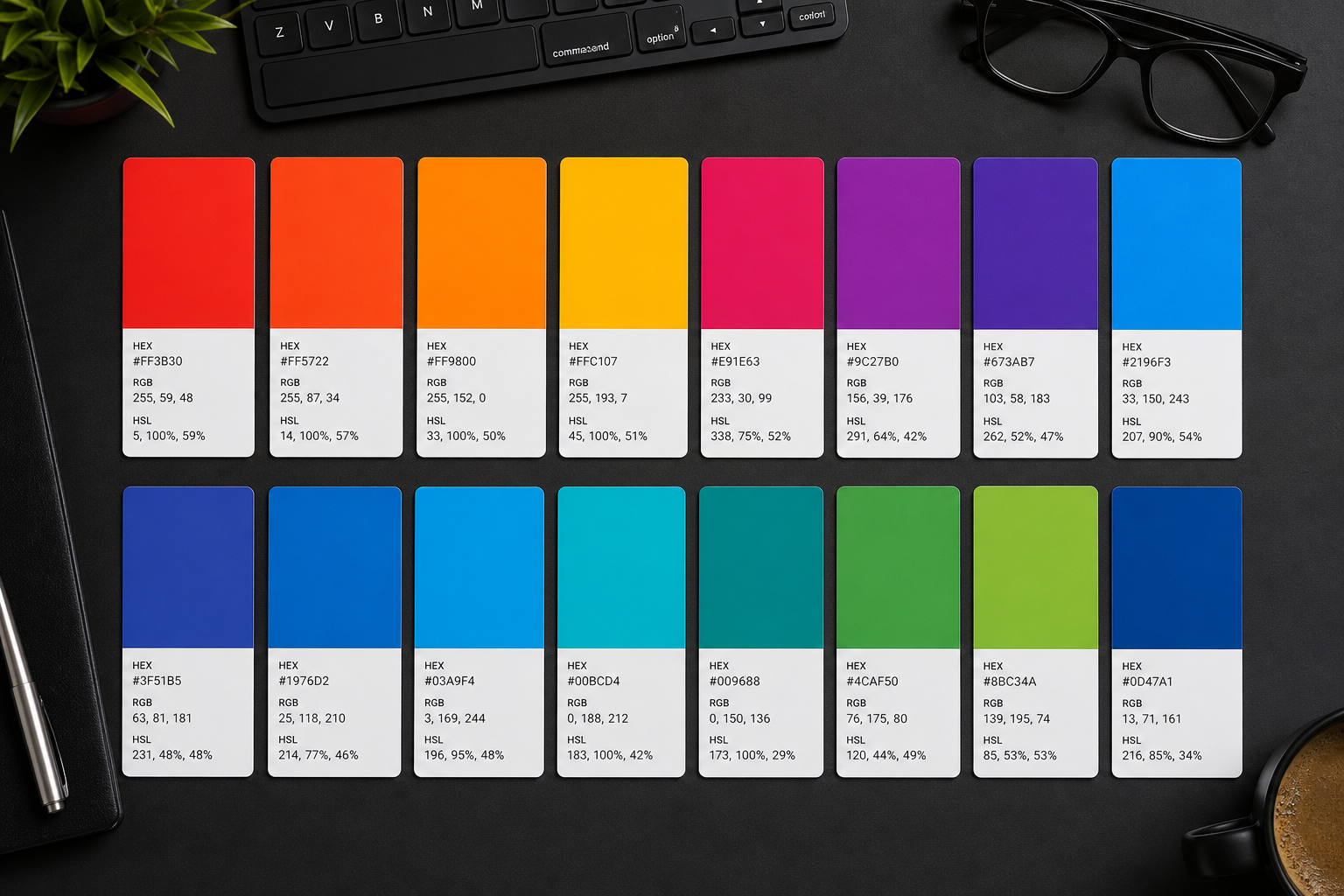
Convert colors between hex, RGB, HSL, and OKLCH in one click. Color Converter →