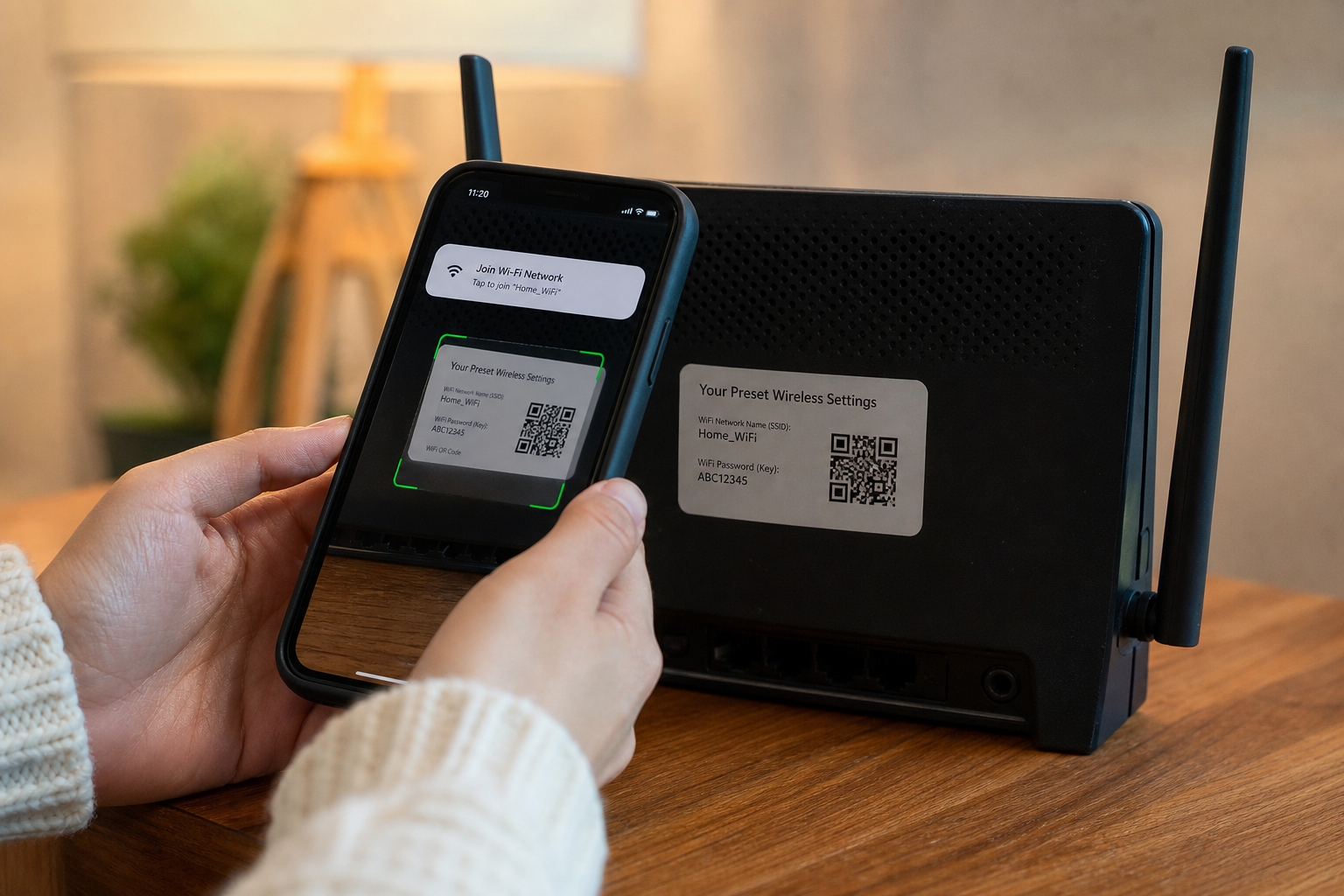
Generate WiFi QR codes guests can scan to connect instantly. WPA2 format, SSID encoding, and security considerations.
WiFi QR Codes and the Guest Network Problem
Sharing WiFi credentials verbally or on sticky notes fails in offices, clinics, vacation rentals, and events where guests expect instant connectivity. WiFi QR codes encode SSID, password, and security type into a scannable image Android and iOS camera apps recognize natively since major platform updates in recent years. Scanning connects devices without typo-prone password entry—especially painful for long random passphrases generated by routers.
The underlying format follows a de facto WIFI: URI scheme: WIFI:T:WPA;S:NetworkName;P:SecretPassword;; where T denotes authentication (WPA, WEP, nopass), S is SSID, and P is password with special characters escaped per URI rules. Incorrect escaping produces codes that scan but fail authentication silently, frustrating guests and support staff.
Generate codes locally with the QR Code Generator on ToolsFree.org when setting up guest networks so credentials never pass through untrusted online encoders logged on server disks. Rotate guest passwords seasonally and reprint or redisplay updated codes rather than reusing compromised lobby posters.
Security Types, Hidden SSIDs, and Enterprise Nuances
WPA2-Personal and WPA3-Personal suit most guest scenarios. WEP remains obsolete and should not appear in new deployments. Enterprise WPA2-802.1X networks generally cannot be encoded in consumer WiFi QR format because they require per-user credentials or certificates rather than shared PSKs—attempting shared QR codes on corporate LANs violates policy and audit requirements.
Hidden SSIDs still appear in QR payloads but provide minimal security through obscurity; prefer open broadcast with strong passwords and VLAN isolation for guests. Captive portals—hotels requiring browser terms acceptance—partially break seamless QR join flows; signage should explain secondary steps when portals intercept first HTTP requests.
IoT onboarding sometimes uses QR for both WiFi and device provisioning payloads. Separate guest WiFi from device management networks to prevent printers and cameras bridging into sensitive subnets. Document which VLAN QR codes target for facilities staff replacing access points.
- Use WPA2 or WPA3 personal for shared guest PSK QR codes.
- Escape semicolons, commas, backslashes, and quotes in SSIDs and passwords correctly.
- Never post admin or corporate SSID QR codes in public lobbies.
- Pair QR guest access with client isolation enabled on access points.
Encoding Rules and Common Generation Mistakes
Special characters in passwords—common in generated PSKs—require backslash escaping inside the WIFI URI. A password containing a semicolon breaks parsing if unescaped. SSIDs with emoji or Unicode must UTF-8 encode consistently; some older scanners mishandle non-ASCII SSIDs. Test generated codes on both iPhone and Pixel devices before printing hundreds of table tents.
QR version and error correction levels affect scannability from distance and on glossy lamination. Medium error correction tolerates logo overlays in marketing materials but increases module count. Minimum quiet zone margins around codes prevent adjacent graphics from interfering decode. Print size guidelines suggest two centimeters minimum module width for poster distances—verify with real prints, not only screen previews.
Dynamic QR services that redirect URLs differ from static WiFi payloads—do not confuse marketing URL QRs with connection strings. The QR Code Generator generates static payloads appropriate for WiFi without intermediary servers that could swap destinations maliciously if accounts compromise.
Placement, Accessibility, and Physical Design
Post QR codes at eye level near entrances guests naturally pause—reception desks, rental welcome binders, conference room doors—not behind furniture where scanning awkwardly leaks passwords to bystanders filming over shoulders. Offer low-tech fallback: human-readable SSID and password for devices without cameras or elderly users uncomfortable scanning.
Accessibility includes high contrast prints, large labels stating network purpose—“Guest WiFi, not employee”—and alternative language instructions for international visitors. Digital signage rotating QR codes should refresh after password changes within one business day to avoid stale codes photographed on review sites.
Brand designers embedding logos inside QR modules must respect error correction limits; over-decoration yields unscannable art. Test under warm LED and dim lighting conditions common in hospitality venues.
WIFI:T:WPA;S:CafeGuest;P:correct-horse-battery-staple;;Rotating Credentials and Event Temporary Networks
Events and pop-ups often stand up temporary SSIDs with daily rotated passwords preventing one leaked code from granting week-long access. Batch-generate new QR PNGs or SVGs each morning using consistent templates volunteers can swap quickly. After events, tear down SSIDs entirely rather than leaving dormant networks discoverable.
Vacation rental turnover workflows regenerate guest PSK between bookings in property management systems, triggering automatic QR PDF updates emailed to cleaners for frame replacement. Smart locks and WiFi rotation synchronized reduce risk from previous guests saving credentials.
Corporate visitor networks integrate with RADIUS expiration aligning QR prints with visit calendar invites—codes invalid after 5 PM automatically via backend PSK rotation even if posters remain visually posted overnight.
Privacy, Logging, and Vendor Trust
Online QR generators that upload WiFi passwords to servers create unnecessary exposure for hospitality brands under GDPR or state privacy laws. Client-side generation aligns with data minimization: the encoding happens in-browser, nothing persists on ToolsFree.org infrastructure per privacy commitments. Prefer open, inspectable tools over opaque mobile apps requesting unrelated permissions.
Photography of lobby QR codes is inevitable—assume guests share images on social media. Treat guest PSKs as public-tier secrets isolated from internal resources, not security boundaries alone. Monitor guest VLAN egress for abuse; QR convenience must not skip acceptable use enforcement.
Educate staff never to email WiFi QR images tied to admin credentials or to post employee SSIDs on public Instagram stories during office tours.
Step-by-Step Setup Workflow for Small Businesses
Configure guest SSID on router with WPA2/WPA3, strong random password from Password Generator, and client isolation. Open QR Code Generator, select WiFi mode, enter SSID and password exactly, preview scan with personal phone. Export SVG for print shop or PNG for digital frames. Label signage with effective date and support extension for connectivity help.
File templates in brand folder so franchisees reuse correct dimensions and legal disclaimers. Quarterly audits photograph deployed codes versus current PSK records. When upgrading access points, verify QR still valid if SSID unchanged but security type migrated WPA2 to WPA3-only—some legacy devices fail, warranting dual signage temporarily.
ToolsFree.org combines QR Code Generator, Password Generator, and networking guides so small IT teams without dedicated design software still ship professional guest onboarding experiences guests praise in reviews mentioning “easy WiFi.”
Putting This Guide Into Daily Practice
Knowledge only helps when it becomes habit. Bookmark this page and return when you hit the specific problem it describes—search engines surface long-tail queries like the ones covered here because people need answers at the moment of failure, not during leisurely reading. Save worked examples in your team wiki with before-and-after snippets so junior developers inherit fixes instead of rediscovering them.
Pair reading with immediate experimentation. Open the relevant ToolsFree.org tool in an adjacent browser tab, paste real data from a sanitized log, and confirm the output matches expectations. Client-side tools mean you can iterate ten times in a minute without rate limits or account walls. Screenshot successful workflows for internal training decks.
Search rankings reward depth, clarity, and pages that satisfy intent completely. This article targets practical completion: you should leave with a checklist, not vague awareness. When standards evolve—NIST password guidance, WCAG revisions, new CSS color spaces—revisit authoritative sources and update your internal playbooks. ToolsFree.org publishes guides aligned with its free utilities so theory and practice stay connected.
Questions Teams Ask During Code Review
Reviewers should ask whether this change affects external integrations, published APIs, or user-visible output. If yes, link to the relevant test fixture and manual QA steps. Documentation updates belong in the same pull request as behavior changes—not a follow-up ticket that never ships.
Performance matters for client-side utilities: large payloads may slow browser formatters on low-end phones. Chunk huge JSON files in editors or use streaming parsers on the server. ToolsFree.org tools target everyday payload sizes developers paste during debugging, not multi-gigabyte dumps.
Share this guide with support staff who field customer tickets about malformed data. First-line triage improves when non-engineers can validate JSON or URLs before escalating to on-call.
Frequently Asked Questions
Teams often ask whether browser-based tools are safe for confidential data. ToolsFree.org runs utilities client-side without uploading input to servers—a model described in the privacy policy and relevant when handling credentials, tokens, or customer records during debugging.
Another common question is how this topic relates to automated testing. Unit tests catch regressions; manual validation catches one-off vendor payloads and copy-paste errors from spreadsheets. Use both layers rather than treating passing CI as proof that production traffic will always parse.
Finally, people ask which official standard to cite in compliance documents. Link primary sources—IETF RFCs, W3C recommendations, NIST special publications—rather than blog summaries alone. This article summarizes practical steps; your security questionnaire may require direct citations to those authorities.
Advanced Tips for Teams and Solo Developers
Document the failure modes described in this guide inside your runbook so on-call engineers resolve incidents faster. Link directly to the relevant ToolsFree.org utility for one-click validation during bridge calls. When sharing examples in Slack or email, paste sanitized snippets rather than production data containing customer identifiers or secrets.
Version your internal examples when APIs change. A JSON sample from 2024 may mislead new hires if field names shifted during a migration. Date-stamp wiki pages and assign owners to refresh them quarterly. Search engines reward fresh, accurate content—your internal docs should follow the same discipline.
Combine manual validation with automated tests. Browser tools excel at exploratory debugging; CI pipelines excel at regression prevention. Neither replaces the other. After fixing an issue manually, add a fixture so it never returns silently. Mature teams treat every production parser error as a missing test case until proven otherwise.
Mobile developers and field technicians increasingly debug from phones. ToolsFree.org tools are responsive—use them on tablets during site visits when a laptop is unavailable. Client-side processing avoids VPN requirements for simple format checks, though always follow your organization data-handling policy before pasting sensitive content anywhere.
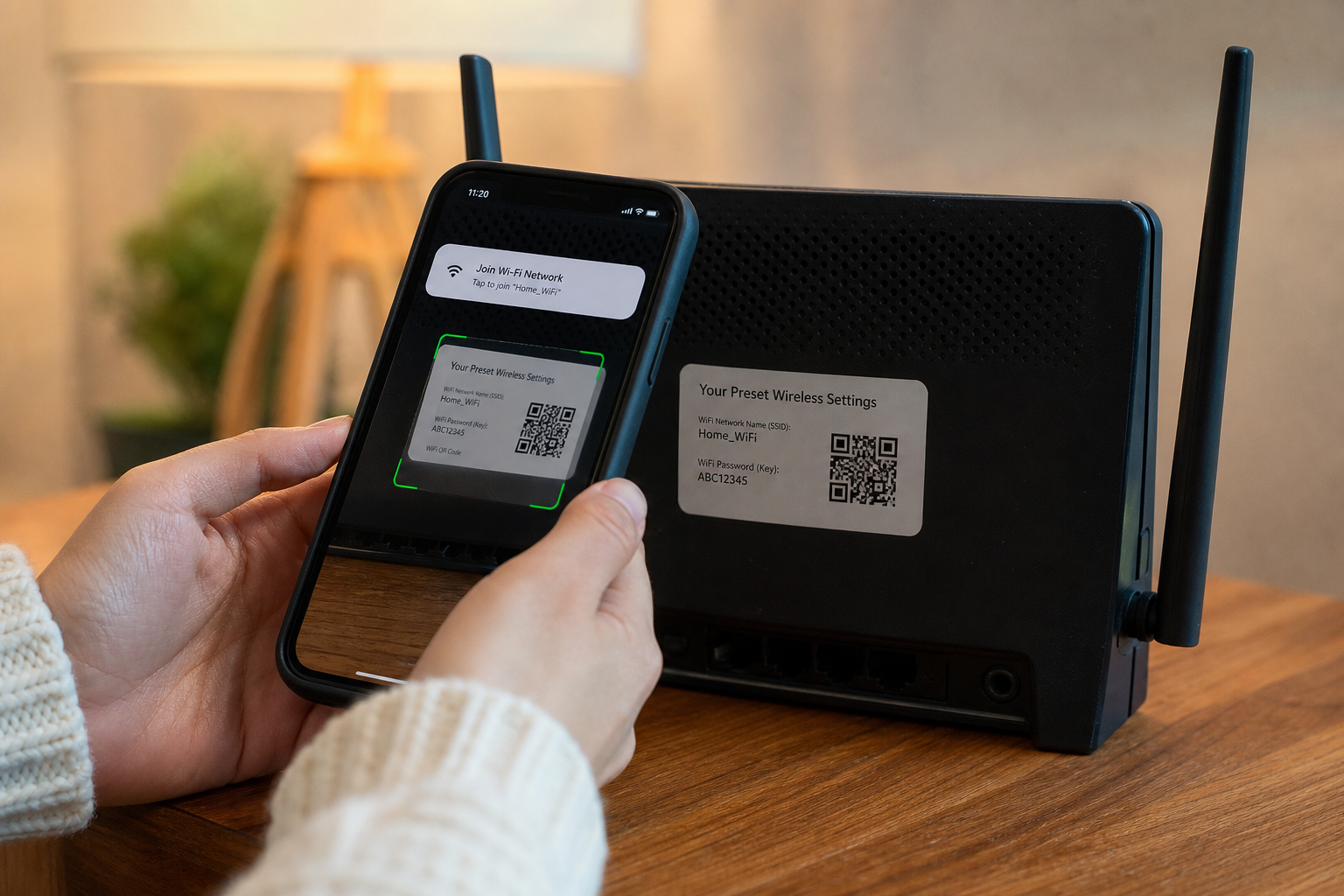
Create WiFi QR codes locally—SSID and password stay in your browser. QR Code Generator →