Add QR codes to business cards for LinkedIn, portfolios, and contact vCards. Print size, contrast, and scanning tips.
Business Cards Still Matter When QR Codes Carry the Payload
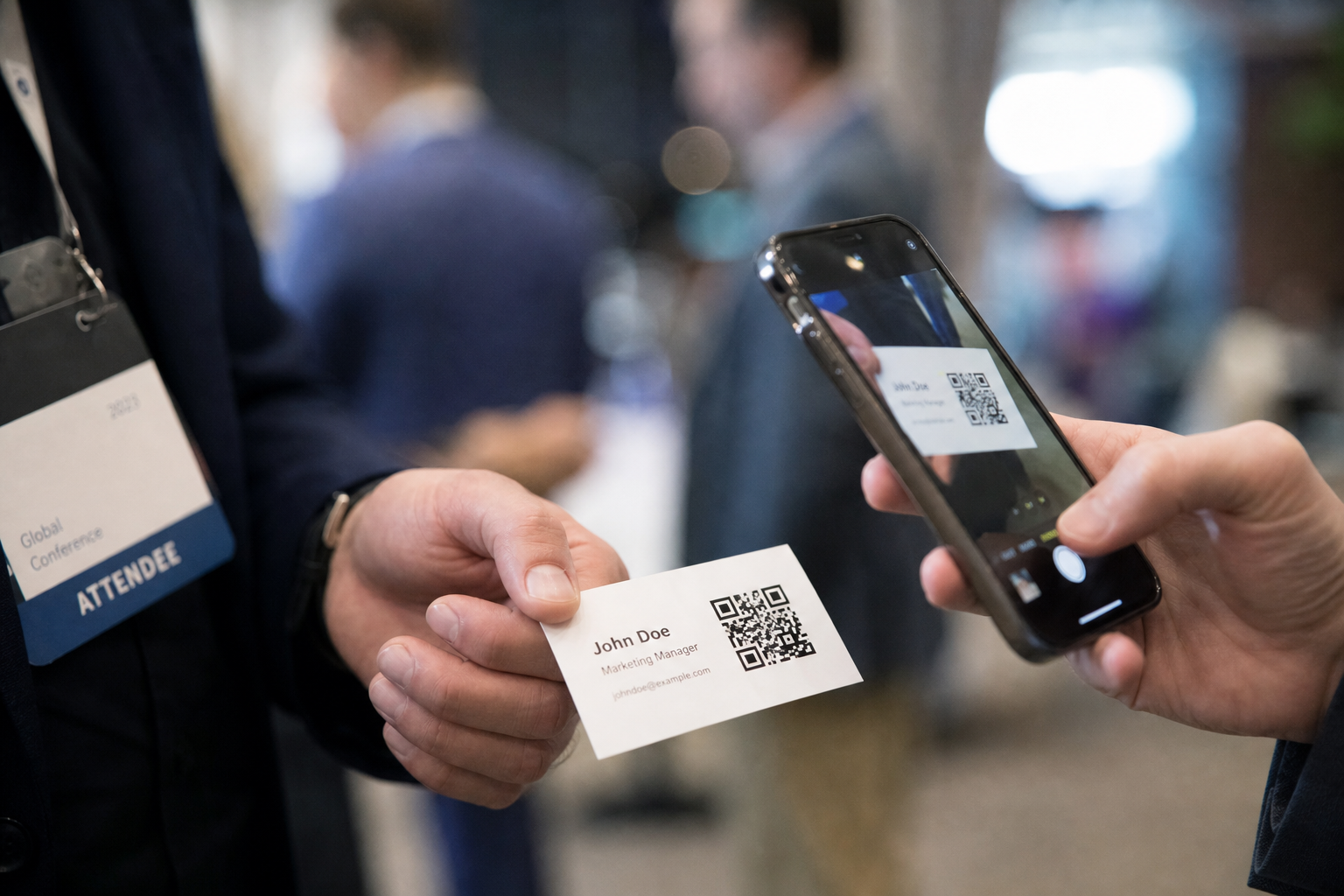
Networking events remain full of paper and NFC cards, but the most useful cards now deep-link to living profiles instead of static ink alone. A QR code can open a vCard download, a LinkedIn profile, a portfolio, or a Calendly link without awkward typing. The QR Code Generator on ToolsFree.org turns those URLs into scannable images you can embed in print layouts. Thoughtful design keeps the code readable while the card still feels like your brand.
QR codes fail when they are tiny, low-contrast, or covered by logos that corrupt modules. They also fail socially when the landing experience is slow or irrelevant. Treat the code as a door to a fast, mobile-first page that loads contacts or booking options in one or two taps. The physical card starts the conversation; the digital destination continues it after the handshake.
Sales teams can A/B test different landing experiences by issuing two card batches with distinct redirects that reunite after the experiment concludes. Keep batches small until scan rates and follow-up quality are known from CRM data. Pair QR analytics with opportunity tags so you know which conference produced conversations that closed revenue. The card becomes a measurable channel when you instrument the destination and train people to use the code instead of shouting email spellings over loud music.
Choosing the Right Link Target
A personal URL you control is better than a third-party profile you might lose access to. Use a short domain redirect so you can retarget the QR later without reprinting cards when you change jobs. Encode HTTPS links only. If you embed a full vCard payload instead of a URL, test character limits and escaping carefully; large vCards produce denser codes that need more print space.
UTM parameters help measure which event deck performed, but keep URLs short enough for reliable scanning. Percent-encode properly with help from the URL Encoder when building tagged links. Avoid placing secrets in URLs. Public profiles and booking pages are appropriate; private admin panels are not. Decide what a stranger holding your card should be allowed to see.
Designers should request the exact pixel size and bleed requirements from the printer before generating final codes for press. A beautiful layout that crowds the quiet zone will fail in the real world despite looking fine on a laptop. Build the QR into the template early, not as a last-minute sticker near the deadline. Share a scanning test checklist with every print vendor and reject proofs that fail on two modern phones before authorizing the full print run.
- Prefer a redirect URL you control
- Keep landing pages mobile-fast
- Test dense vCard payloads at print size
- Use HTTPS destinations exclusively
Design and Print Specifications That Scan
Print dark modules on a light quiet background with margin around the code. Size the square large enough for typical camera distances at events—often at least 2 cm on a standard card, larger if stylized. Do not place text over the code. If you add a logo in the center, increase error correction and retest on multiple phones. Soft uncoated stocks can blur fine modules; proof on the final material.
Export from the QR Code Generator at high resolution. Vector workflows are ideal when your designer can place them; otherwise use PNG with enough pixels for the physical size. Avoid photographing a screen and printing the photo. Recreate the asset cleanly for each revision. Keep the payload string in your password vault or CMS so reprints stay identical.
After each major conference, review which codes drove profile views versus calendar bookings and adjust the landing page hierarchy accordingly. Maybe the portfolio should sit above the booking button, or maybe a short video introduction converts better for your niche. Iteration costs almost nothing when the QR points at a redirect you control, which is the central reason to avoid encoding a brittle third-party URL directly into thousands of cards you cannot recall from pockets worldwide.
vCard QR Codes vs Web Profile Links
vCard QR codes can add a contact directly to a phone address book, which feels magical when it works. Compatibility varies, and updating details requires new cards. Web links can present rich media, lead forms, and always-current titles. Many professionals use a hybrid: QR to a profile page with a one-tap “Add contact” file download. Measure which path your audience prefers.
When generating vCard text, validate fields and avoid smart punctuation that breaks parsers. Convert case of display names thoughtfully with the Case Converter only for human labels, not for the QR payload encoding. Store the exact payload alongside the card version number. If a campaign reprints annually, increment versions and retire old landing redirects deliberately.
BEGIN:VCARD
VERSION:3.0
FN:Alex Rivera
ORG:Example Studio
TEL:+15555550100
EMAIL:alex@example.com
URL:https://example.com/alex
END:VCARD
Event Workflows and Follow-Up Etiquette
On site, glance to confirm your code is unscuffed before handing a card. Offer to scan mutually so both sides leave with details. Follow up within a day referencing the conversation, not a generic blast. If your QR opens a booking link, suggest concrete times in person first so the scan feels like a continuation, not a hard sell.
For teams, print role-specific codes that route to the right calendars. Shared company cards with a single generic inbox create ownership confusion. Track which codes belong to which employee. When people leave the company, disable their redirects. Operational hygiene turns clever QR cards into a sustainable system rather than a pile of orphaned links.
Accessibility and Inclusive Networking
Not everyone can scan QR codes easily. Include human-readable URLs or short codes in print as a fallback. Ensure landing pages meet WCAG contrast and work with screen readers. Avoid making the QR the only way to learn your name—still print essential text on the card. Technology should enhance the card, not erase classic readability.
Consider lighting at venues; shiny foil cards may glare. Matte finishes often scan better. Provide NFC as a complement when budgets allow, but keep QR for universal camera support. Test with older devices. Inclusive design widens the set of people who can connect with you after a brief hallway chat.
Security and Privacy Considerations
Malicious QR codes are a known vector in the wild; your professional cards should model good behavior with clear HTTPS destinations and no surprise downloads. Do not encode Wi-Fi passwords on personal networking cards. Be mindful of how much personal phone number exposure you want; a contact form can mediate access. Review analytics retention on your profile page.
Generate codes locally with the QR Code Generator so profile URLs are not unnecessarily uploaded to random generators. If you also create guest Wi-Fi posters for events, separate those credentials from personal cards. Browse All Tools for complementary utilities when preparing event kits. Privacy-respecting tooling reinforces personal brand trust.
A Practical Production Checklist
Pick a stable HTTPS destination, generate a high-contrast QR, proof on final paper stock, test iOS and Android, print a short readable URL fallback, and document the redirect for future updates. Prepare the landing page before the cards arrive from the printer. Bring spare cards in a case that does not bend them. Small preparations prevent awkward failed scans beside a potential client.
Reassess yearly: Does the link still represent your work? Is the page fast on cellular? Are analytics meaningful? Update redirects before ordering a new batch. With ToolsFree.org and a clear profile URL, your card becomes a durable bridge between offline conversation and online collaboration—exactly what modern networking needs.
- Stable HTTPS link under your control
- High-res QR with quiet-zone margins
- Printed fallback URL for accessibility
- Tested landing page on mobile networks
Generate a print-ready QR code for your next stack of business cards. QR Code Generator →