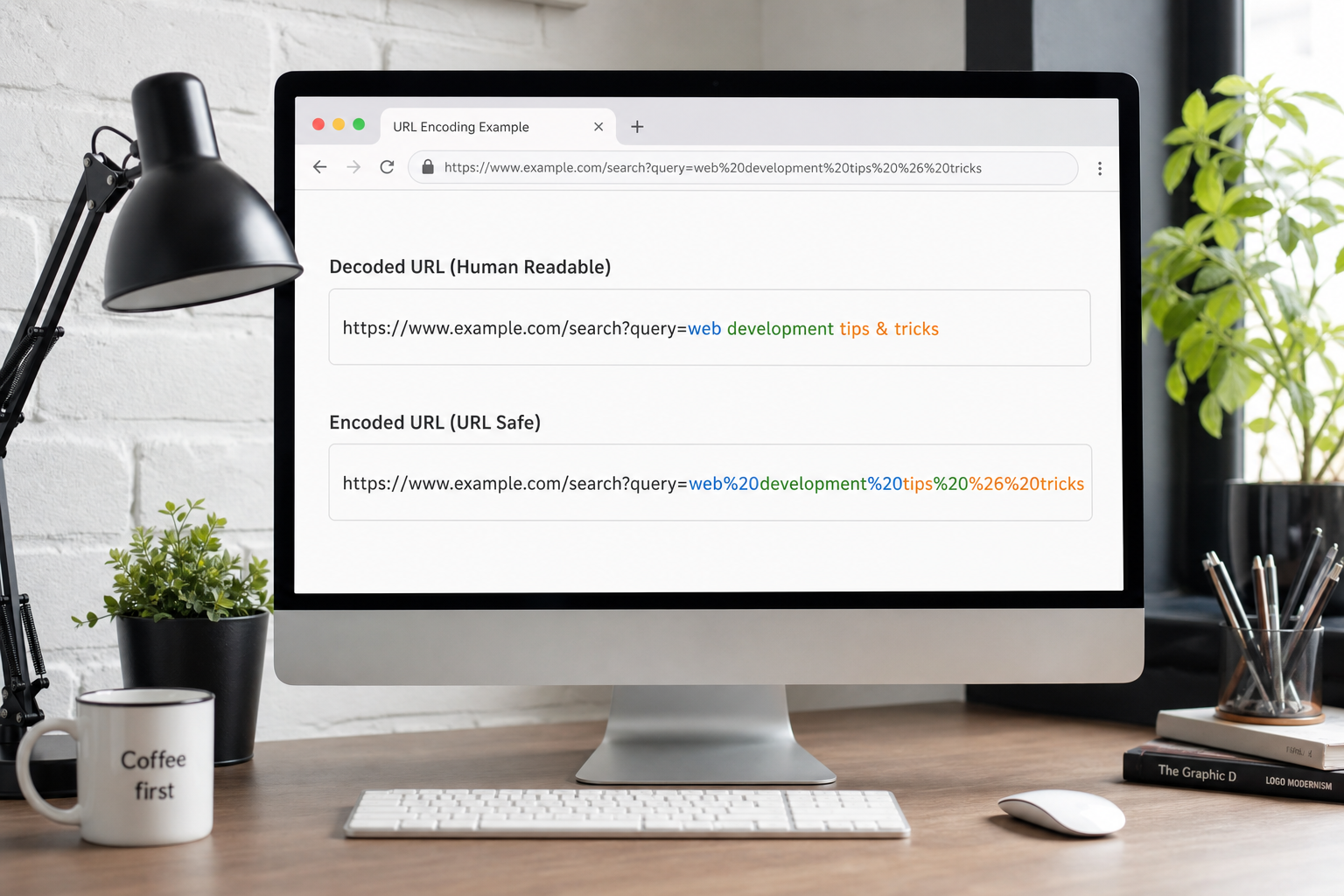
Master percent-encoding for query strings, paths, and form data. Practical guide for web developers and SEO specialists.
What Is URL Encoding and Percent-Encoding
URL encoding, formally application/x-www-form-urlencoded or percent-encoding, represents characters unsafe in URLs using percent signs followed by two hexadecimal digits. Spaces become %20 or plus signs in query strings depending on context. Reserved characters like ?, &, =, and # receive encoding when used as data rather than delimiters. This ensures URLs parse consistently across browsers, servers, and HTTP clients.
RFC 3986 defines which characters are unreserved—letters, digits, hyphen, period, underscore, tilde—and which require encoding everywhere else in components. Developers encounter encoding when building query strings, redirect URLs, OAuth callbacks, and email links. The URL Encoder on ToolsFree.org encodes and decodes strings instantly, clarifying mistakes before they cause broken links or authentication failures.
Query Strings, Form Data, and Encoding Differences
HTML form submissions traditionally encode spaces as plus signs in application/x-www-form-urlencoded bodies while paths and modern query APIs prefer %20. JavaScript encodeURIComponent encodes nearly everything except unreserved characters—use it for individual query values. encodeURI targets full URLs, preserving structural characters like :, /, ?, and # while encoding spaces and unicode.
Mixing encodeURI and encodeURIComponent causes double-encoding or partially encoded URLs. Build URLs by encoding each parameter value separately, then join with ampersands. Decode incoming values on servers using library functions matching client encoding assumptions. Paste problematic URLs into URL Encoder to inspect each component after decoding.
Reverse proxies forwarding requests must preserve encoded paths when upstream services expect literal percent sequences—decoding too early breaks routes containing encoded slashes for file paths. Configure nginx, Apache, and cloud load balancers explicitly rather than relying on defaults that differ between major versions and hosting providers.
encodeURIComponent('hello world')  → hello%20world
Query form style:                 → hello+world
encodeURI('/docs?q=a b')          → /docs?q=a%20b
Unicode, UTF-8, and International Domain Names
Non-ASCII characters encode as UTF-8 byte sequences percent-encoded sequentially—é becomes %C3%A9. Display layers show unicode while wire format remains ASCII-safe. Internationalized domain names use Punycode prefixes xn-- for DNS compatibility separate from path/query encoding. Confusion between IDN processing and path encoding causes bugs when users paste unicode URLs from localized marketing materials.
JavaScript handles unicode transparently in encodeURIComponent when strings contain proper code points. Broken surrogate pairs produce encoding exceptions or mojibake. Normalize unicode to NFC before encoding when comparing identifiers across systems. ToolsFree.org URL Encoder helps verify encoded output matches expectations for international campaign links.
Email clients and chat applications sometimes auto-link URLs containing unencoded unicode, breaking when recipients copy-paste into API clients expecting strict ASCII. Normalize links at content creation time using URL Encoder rather than hoping downstream systems tolerate inconsistent encoding in user-generated content shared across global audiences.
Common URL Encoding Bugs in Web Applications
Double-encoding occurs when already encoded strings pass through encoders again—%20 becomes %2520 and fails decoding to intended values. Redirect open vulnerabilities exploit inconsistent decoding where attackers craft URLs bypassing allowlists. Server frameworks sometimes decode paths differently than query parameters, breaking routes containing encoded slashes %2F.
OAuth redirect_uri parameters must match registered values exactly—including encoding. A client sending unencoded callbacks while authorization servers expect encoded forms triggers invalid_redirect errors frustrating integrators. Log raw query strings before decoding during debugging. Compare with URL Encoder output and Base64 Encoder when tokens embed URL-encoded segments inside JWT claims.
URL Encoding in API Clients and SDKs
HTTP libraries usually encode parameters automatically when using helper methods—manual string concatenation bypasses protections. RestTemplate, axios, requests, and fetch with URLSearchParams apply correct encoding per key-value pair. Arrays and nested objects lack universal standards—document whether repeated keys or bracket notation serialize parameters.
When APIs require custom encoding—some legacy systems expect parentheses unencoded—document deviations prominently in OpenAPI parameters. Fuzz tests with special characters in URL Encoder before release: ampersands, equals signs, hashes, and percent literals expose injection and parsing edge cases early.
Security: Open Redirects and Injection Risks
User-controlled redirect parameters encoded improperly enable phishing—attackers hide malicious destinations behind innocent-looking prefixes. Validate redirect targets against allowlists after full decoding, including unicode homoglyph attacks on domain names. SQL injection in query parameters is mitigated by parameterized queries, not encoding alone—encoding complements but never replaces input validation.
Log injection attacks embed newline characters url-encoded as %0D%0A in legacy systems writing raw headers. Modern frameworks reject such sequences. Security reviews test encoded XSS payloads in query parameters reflected without HTML escaping in error pages. Defense layers include output encoding, Content Security Policy, and strict URL validation libraries.
Content Security Policy report-uri endpoints receive encoded violation reports as query parameters—decode carefully before parsing JSON payloads. Rate-limit report endpoints to prevent abuse. Stored CSP reports help identify XSS attempts in production without exposing full user sessions to attackers probing for reflective encoding gaps in error handling pages.
Working with URIs in Backend Languages
Python urllib.parse.quote and unquote handle component encoding. Java URLEncoder follows legacy application/x-www-form-urlencoded rules—mind differences from RFC 3986. Go url.QueryEscape encodes query values. .NET Uri.EscapeDataString aligns with encodeURIComponent behavior. Choose functions matching your URL component—path, query, fragment—not generic escape routines.
Reverse proxies and CDNs normalize URLs—trailing slash policies and case sensitivity affect cache keys. Encode consistently so CDN cache hits remain predictable. When generating signed URLs with expiry, encoding order matters—sign after canonicalization. Test round trips through ToolsFree.org URL Encoder when implementing custom signing middleware.
Fragment identifiers—hash portions after #—are client-side only and never sent to servers in HTTP requests. Encode fragments when building single-page application router links but do not expect server access logs to capture them. Confusion between query strings and fragments causes analytics gaps when marketing teams track campaign parameters placed in wrong URL sections.
Practical Workflows on ToolsFree.org
Use URL Encoder to encode user input before inserting into redirect links, decode analytics parameters from campaign URLs, and debug OAuth flows. Combine with QR Code Generator when generating marketing codes—encode first, then embed in QR matrices. Link to JSON Formatter when APIs return JSON containing URL fields needing inspection after decode.
Browse All Tools for complementary utilities spanning encoding, hashing, and formatting. Reliable URL encoding prevents broken user journeys, failed integrations, and subtle security gaps that emerge only when production traffic includes the special characters your tests never thought to try.
Document encoding conventions in your API style guide with worked examples for common parameters like redirect_uri, state, and scope. New engineers onboarding to OAuth integrations reference the guide alongside live testing in URL Encoder, reducing repeated Slack questions about whether plus signs or percent-twenty encoding belong in specific query components for your identity provider.
Putting This Guide Into Daily Practice
Knowledge only helps when it becomes habit. Bookmark this page and return when you hit the specific problem it describes—search engines surface long-tail queries like the ones covered here because people need answers at the moment of failure, not during leisurely reading. Save worked examples in your team wiki with before-and-after snippets so junior developers inherit fixes instead of rediscovering them.
Pair reading with immediate experimentation. Open the relevant ToolsFree.org tool in an adjacent browser tab, paste real data from a sanitized log, and confirm the output matches expectations. Client-side tools mean you can iterate ten times in a minute without rate limits or account walls. Screenshot successful workflows for internal training decks.
Search rankings reward depth, clarity, and pages that satisfy intent completely. This article targets practical completion: you should leave with a checklist, not vague awareness. When standards evolve—NIST password guidance, WCAG revisions, new CSS color spaces—revisit authoritative sources and update your internal playbooks. ToolsFree.org publishes guides aligned with its free utilities so theory and practice stay connected.
Questions Teams Ask During Code Review
Reviewers should ask whether this change affects external integrations, published APIs, or user-visible output. If yes, link to the relevant test fixture and manual QA steps. Documentation updates belong in the same pull request as behavior changes—not a follow-up ticket that never ships.
Performance matters for client-side utilities: large payloads may slow browser formatters on low-end phones. Chunk huge JSON files in editors or use streaming parsers on the server. ToolsFree.org tools target everyday payload sizes developers paste during debugging, not multi-gigabyte dumps.
Share this guide with support staff who field customer tickets about malformed data. First-line triage improves when non-engineers can validate JSON or URLs before escalating to on-call.
Frequently Asked Questions
Teams often ask whether browser-based tools are safe for confidential data. ToolsFree.org runs utilities client-side without uploading input to servers—a model described in the privacy policy and relevant when handling credentials, tokens, or customer records during debugging.
Another common question is how this topic relates to automated testing. Unit tests catch regressions; manual validation catches one-off vendor payloads and copy-paste errors from spreadsheets. Use both layers rather than treating passing CI as proof that production traffic will always parse.
Finally, people ask which official standard to cite in compliance documents. Link primary sources—IETF RFCs, W3C recommendations, NIST special publications—rather than blog summaries alone. This article summarizes practical steps; your security questionnaire may require direct citations to those authorities.
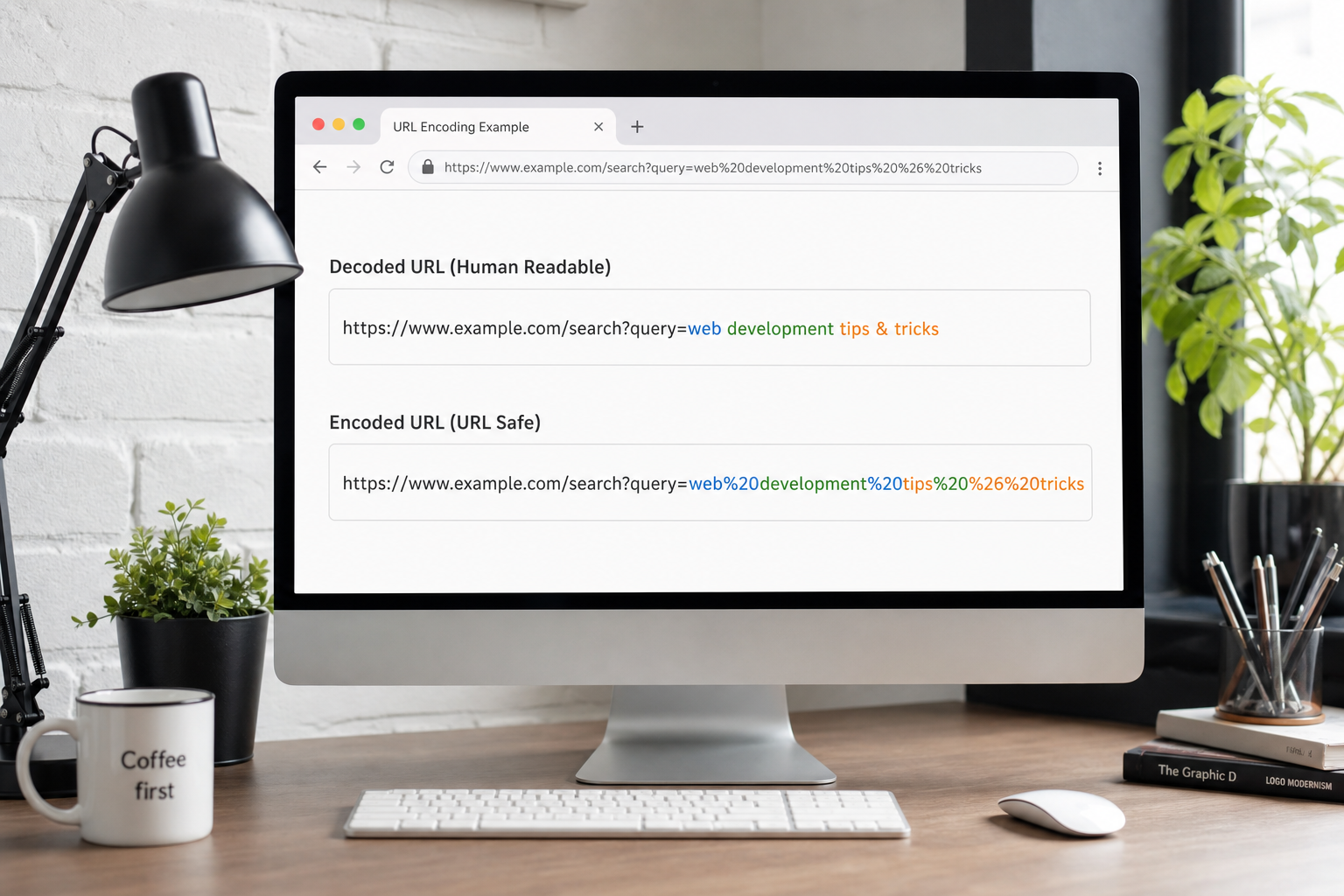
Encode and decode URL strings safely—essential for APIs, OAuth, and query parameters. URL Encoder →